Operational Context
In a perfect Zero-Trust world, every signal is automated. In the real world—especially for small businesses using Microsoft 365 Business Basic—identity governance is about discipline and visibility. This case study shows how I manage access boundaries without Entra ID P1/P2 governance features.
Last verified: May 13, 2026. This is a manual governance pattern, not a replacement for licensed Microsoft Entra ID Governance, Access Reviews, or Conditional Access. Microsoft documents Security Defaults as a baseline for tenants without P1/P2, while Conditional Access requires the appropriate Entra licensing.
The Problem: "Access Creep"
The most significant risk in any growing organization is "Access Creep"—where a user changes departments or roles but keeps old permissions. In a Business Basic environment, do not assume you have the same automated Access Reviews and governance controls available in higher Entra plans. If left unchecked, a user might retain access to sensitive HR or financial data forever.
The Solution: Manual Governance & Log Forensics
I developed a proactive "Identity Pulse" check to ensure that the least-privilege principle is maintained even without automation.
1. Group-Based Access (The Logic)
Instead of assigning permissions to individuals, I use Static Security Groups as the source of truth.
- Workflow: Create a group like
SG-Finance-Read. Assign the user to the group. - The Audit: Periodically export the group member list via the Entra ID portal. This creates a "Paper Trail" of who had access and when, fulfilling a core compliance requirement.
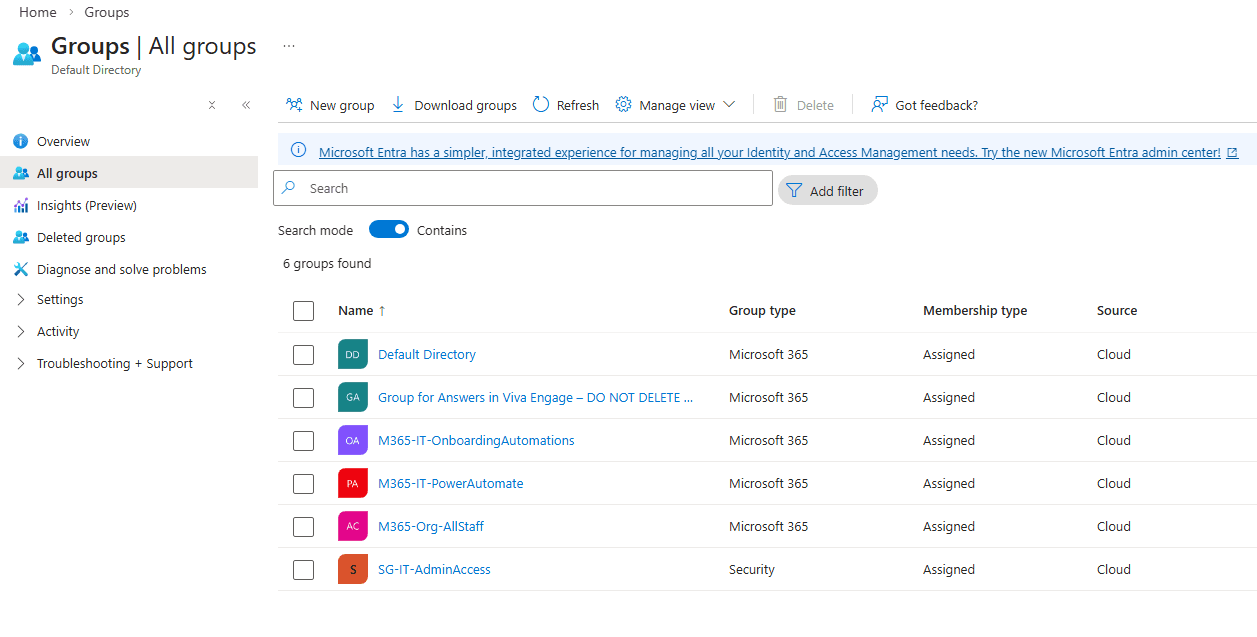 Figure 1: Implementing a standardized naming convention to ensure high-visibility group governance.
2. Investigative Audit Logging
- The Scenario: A department transfer occurs.
- The Investigation: I use the Entra ID Audit Logs to verify that the user was removed from their previous department's group.
- The Signal: By filtering the logs for
Add member to groupandRemove member from group, I can prove to an auditor exactly when access was provisioned and de-provisioned.
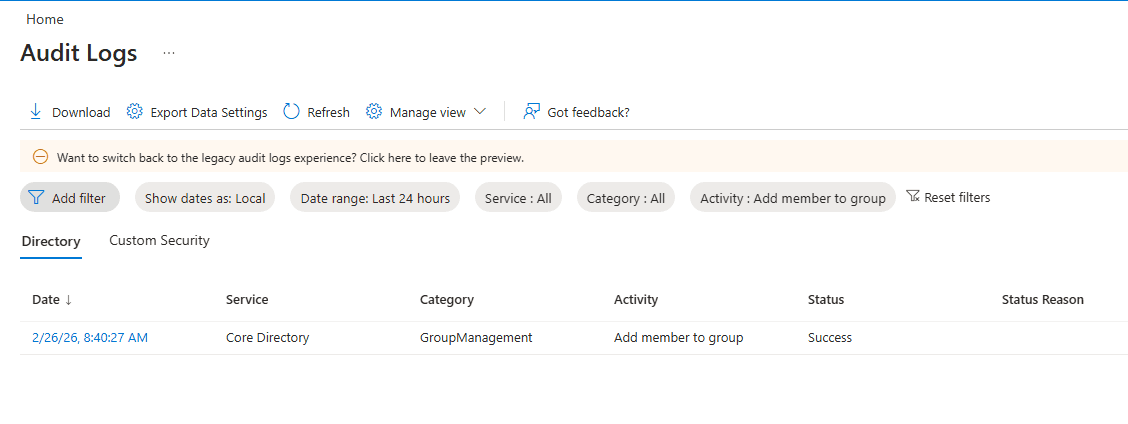 Figure 2: Using filtered Audit Logs to verify membership lifecycle changes.
5-Point Production Structure
1. The Strategy
The strategy is to replace "expensive automation" with "repeatable process." I treat the manual group audit as a scheduled maintenance task.
2. The Logic
Used Conditional Access thinking without claiming Conditional Access licensing. I manually review sign-in and audit signals, and I verify that baseline controls such as Security Defaults are active where appropriate.
3. Verification
Verified by performing a "Mock Audit." I asked: "Which users have access to the Executive Folder?" and used the Entra ID group blades to provide the answer in under 2 minutes.
4. Implementation
Documented the specific Sign-in Log filters: Status: Failure + Location: [Unexpected Regions]. This allows me to spot potential compromised accounts before they can do damage.
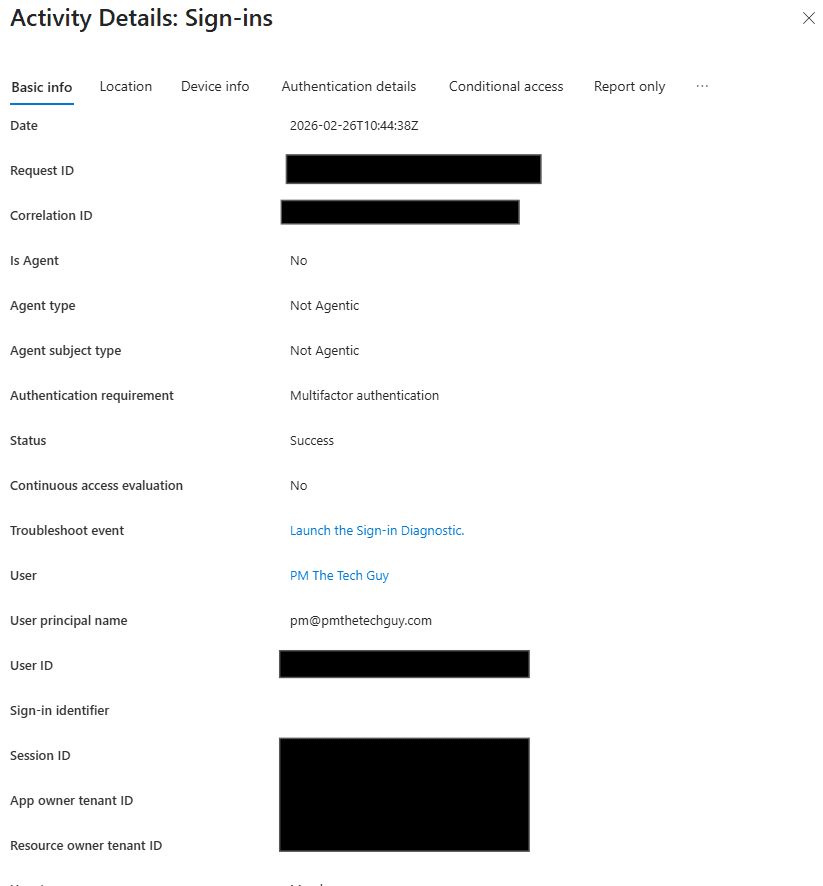 Figure 3: Inspecting individual sign-in events to verify that MFA requirements are being enforced.
5. Troubleshooting (RCA)
Insight: Group names were initially too vague (e.g., "Mailing List").
Fix: Implemented a standardized naming convention: [Type]-[Department]-[AccessLevel] (e.g., SG-IT-Admin). This makes auditing instant and error-free.
Career Signal: Managing Through Constraints
Solving identity problems with a $1,000,000 budget is easy. Solving them within the constraints of a Business Basic license proves true Identity & Access Management (IAM) maturity. It shows you understand the underlying logic of Entra ID, regardless of the license level.