
📄 Document AI Starter Edition
Automate PDF data extraction with Google Document AI. Includes a prebuilt Streamlit dashboard, setup guide, and Excel report generator. Designed for freelancers, analysts, and automation enthusiasts — no coding required.
🚀 What’s Included
- Google Document AI Form Parser integration
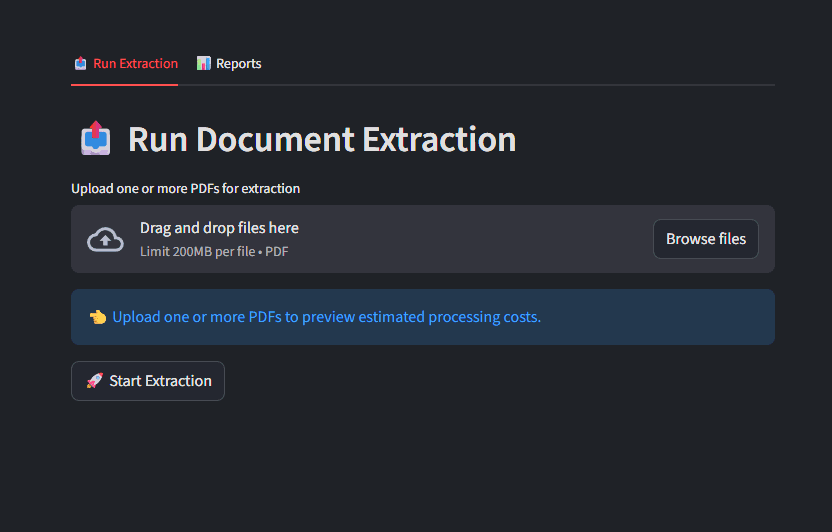
- Streamlit UI for real-time PDF extraction
- Auto-generated Excel summary dashboard
- Built-in CLI tool with cost previews
- Comprehensive setup guide (PDF)
💡 Perfect For
- Freelancers processing client documents
- Data professionals testing AI extraction
- Automation developers building proof-of-concepts
- Teams experimenting with Google Cloud tools
🧩 Setup in 3 Simple Steps
1️⃣ Create a Google Cloud Project
Enable the Document AI API and generate your service account key. Full instructions are provided in the setup PDF.
2️⃣ Configure Your Environment
Update your .env and config.yaml with your credentials and processor ID.
3️⃣ Run & Extract
Use the Streamlit dashboard or CLI to process PDFs, log results, and export Excel summaries.
Support the Work
If these resources helped you save time or money, consider buying me a coffee. It keeps the servers running and the content coming!
☕ Buy me a coffeeNewsletter
Receive operational updates and case studies
Get notified of technical briefings, system troubleshooting patterns, and production automation insights.