The first version of any automation project is a single Python file with hardcoded paths and no error handling.
That's fine for day one. But by day thirty, you have:
- 8 different hardcoded API keys.
- No idea which function does what.
- Zero test coverage.
- A script that "works on my machine" but nowhere else.
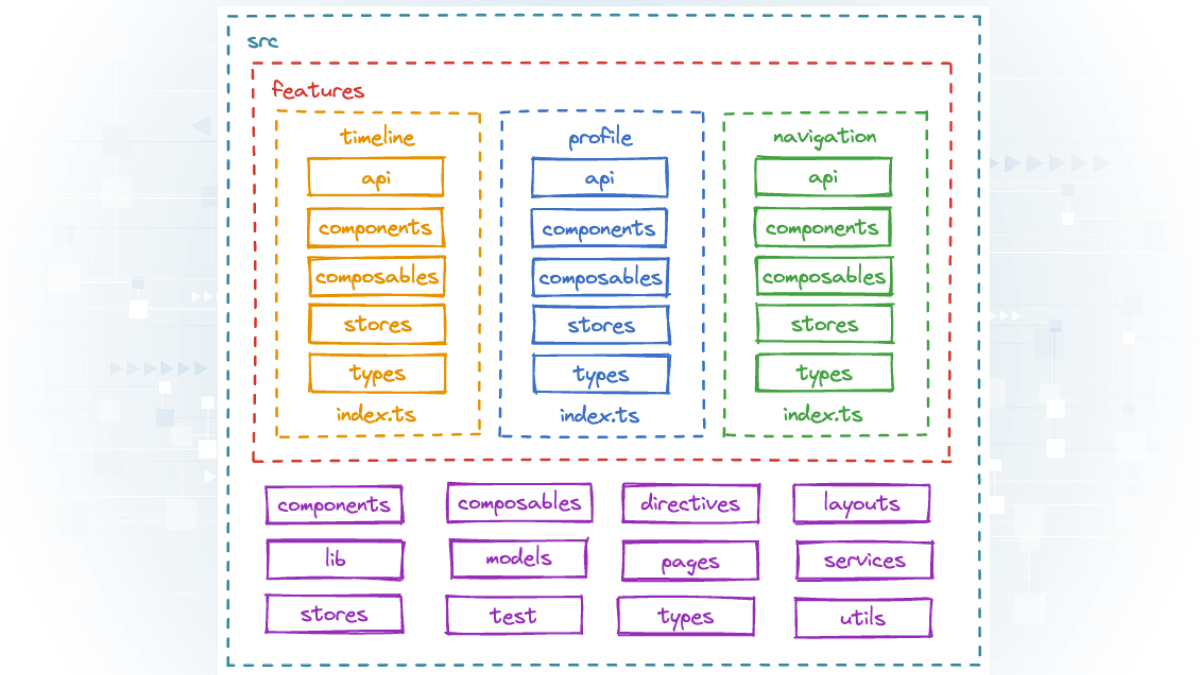
Here is the architecture I use to prevent this collapse.
See it in action: This exact structure powers my Document AI Starter project.
1. Config vs Code
Never hardcode configuration in your scripts.
Configuration includes:
- File paths
- API endpoints
- Batch sizes
- Feature flags
I use config.yaml for non-sensitive settings:
processing:
  batch_size: 10
  output_format: "xlsx"
paths:
  input_dir: "data/input"
  output_dir: "data/output"
This way, I can change the output format without touching the code.
2. Secrets Handling
API keys, passwords, and tokens go in a .env file (git-ignored):
GOOGLE_CLOUD_KEY_PATH=./secrets/gcloud_key.json
API_TOKEN=sk-1234567890abcdef
I use python-dotenv to load them:
from dotenv import load_dotenv
import os

load_dotenv()
api_token = os.getenv("API_TOKEN")
Never commit secrets to git. Add .env to .gitignore on day one.
3. CLI vs UI Separation
Separate the logic from the interface.
Your core processing functions should not know about:
- Command-line arguments
- Streamlit widgets
- FastAPI routes
Bad:
def process_file():
    file_path = input("Enter file path: ")  # UI mixed with logic
    # ... processing
Good:
def process_file(file_path: str):
    # ... processing
    return result

# Separate CLI layer
if __name__ == "__main__":
    import sys
    result = process_file(sys.argv[1])
This lets you attach multiple interfaces (CLI, API, UI) to the same logic.
4. Scaling Mindset
Even if you're building a "small" tool, think about scale from day one.
Ask yourself:
- What happens if this processes 10,000 files instead of 10?
- What happens if two people run this at the same time?
- What happens if the API is down for 5 minutes?
You don't need to solve these problems now, but design for them.
For example:
- Use a database instead of CSV files for state tracking.
- Add retry logic for API calls.
- Use locks or queues for concurrent execution.
Conclusion
Good architecture is invisible. It doesn't make your tool faster or smarter. But it makes it maintainable.
Six months from now, when you need to add a feature or fix a bug, you'll thank yourself for building it right the first time.