Every automation project needs configuration. But should you use YAML, JSON, or ENV files?
The answer: all three, for different reasons.
See it in practice: I use all three in my Document AI Starter — here is why.
ENV Files (.env) — For Secrets
Use for: API keys, passwords, tokens, database URLs.
Why:
- Easy to load with
python-dotenv. - Never committed to Git (add to
.gitignore). - Supported natively by most cloud platforms (Railway, Heroku, Vercel).
Example:
API_KEY=sk-1234567890abcdef
DATABASE_URL=postgresql://user:pass@localhost/db
When NOT to use:
- Complex nested data.
- Non-secret configuration.
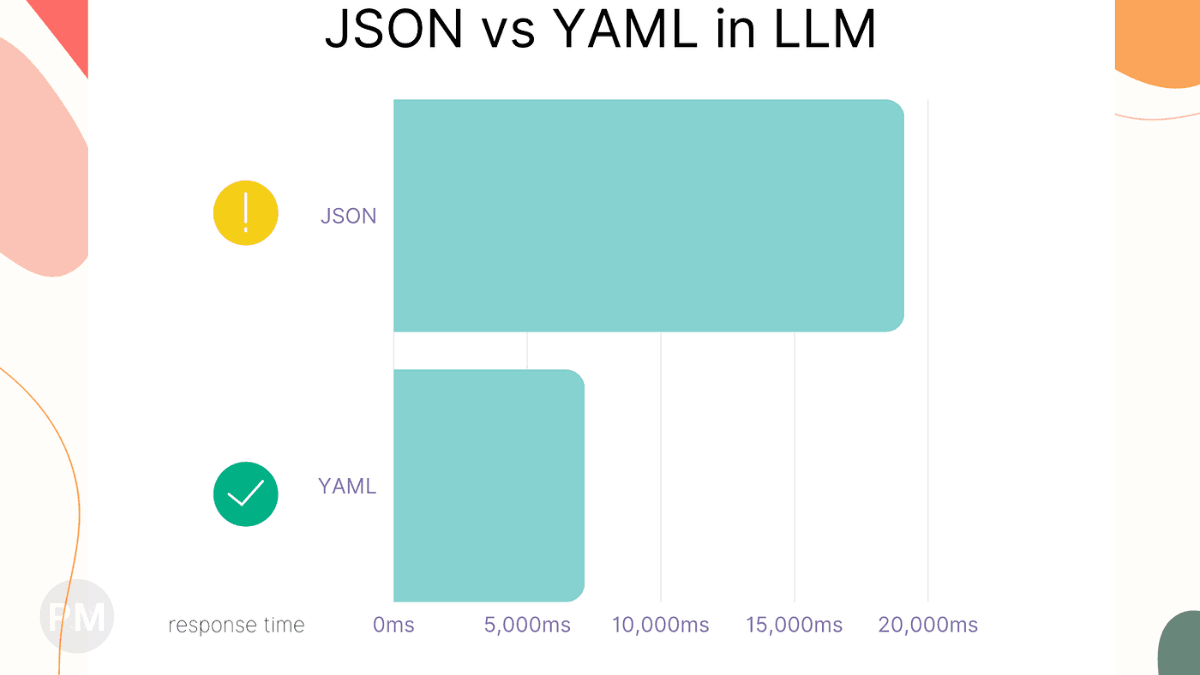
YAML Files (.yaml) — For Human-Readable Config
Use for: Non-secret settings that humans will edit often.
Why:
- Very readable (supports comments).
- Supports nested structures.
- Great for multi-environment configs (dev, staging, prod).
Example:
processing:
  batch_size: 10
  timeout_seconds: 30

paths:
  input: "./data/input"
  output: "./data/output"

# This is a comment explaining a feature flag
features:
  enable_ocr: true
When NOT to use:
- Data that machines generate (use JSON instead).
- Secrets (use ENV instead).
JSON Files (.json) — For Machine-Generated Config
Use for: API responses, cache files, state tracking, outputs.
Why:
- Native JavaScript format (great for web apps).
- Strict syntax (easier to validate programmatically).
- Most APIs return JSON.
Example:
{
  "last_processed": "2026-01-27T10:00:00Z",
  "files": [
    {"name": "invoice_001.pdf", "status": "success"},
    {"name": "invoice_002.pdf", "status": "failed"}
  ]
}
When NOT to use:
- Human-edited config (YAML is more readable).
- Secrets (use ENV).
How I Use All Three Together
In my Document AI project:
-
.env— Stores Google Cloud credentials path.GOOGLE_CLOUD_KEY_PATH=./secrets/gcloud_key.json -
config.yaml— Stores processing settings.processing: cost_per_page_usd: 0.065 paths: output_dir: outputs -
output.json— Stores the API response from Google Cloud.{ "entities": [...], "confidence": 0.95 }
The Golden Rule
- Secrets →
.env - Human config →
.yaml - Machine data →
.json
Following this pattern keeps your project organized and maintainable.
Tags
#Configuration#YAML#JSON#Python#Best Practices